 Filter Signatures in the Properties Pane, specify the types of signatures that will be retrieved.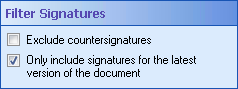
- Exclude countersignatures: Check this option to have this activity only retrieve signatures and ignore any countersignatures. Clear this option to retrieve all signatures and countersignatures.
- Only include signatures on the latest version of the document: Check this option to have this activity only retrieve signatures on the latest version of the document. The activity will ignore the signatures on all previous versions of the document. Clear this option to retrieve signatures on all versions of the document.