 Show me.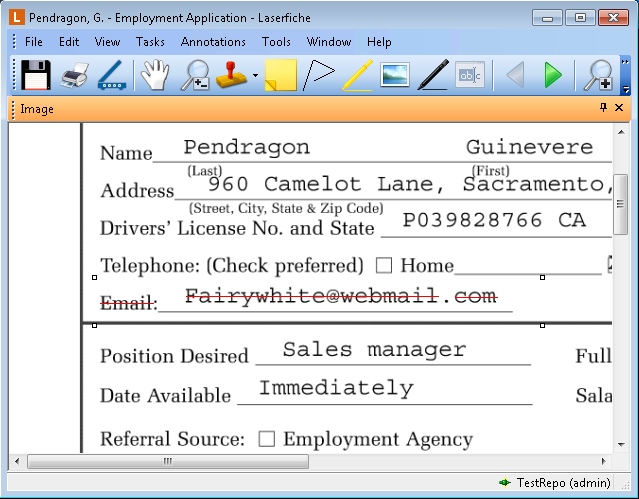
You can strike through elements of an image and/or text, allowing you to mark through a particular portion of an image or a particular line of text. Show me.
To apply strikethrough to an image
In the Laserfiche Windows client
 , select Strikethrough from the Annotations menu, or right-click the image, point to Add Annotation, and select Strikethrough to switch to Strikethrough mode.
In the Laserfiche web client
, select Strikethrough from the Annotations menu, or right-click the image, point to Add Annotation, and select Strikethrough to switch to Strikethrough mode.
In the Laserfiche web client
 , or select Strikethrough from the Annotations menu. You can also right-click the image, point to Add Annotation, and select Strikethrough.
To apply strikethrough to text
In the Laserfiche Windows client
, select Strikethrough from the Annotations menu, or right-click in the Text Pane and select Strikethrough to switch to Strikethrough mode.In the Laserfiche web client
or select Strikethrough from the Annotations menu. You can also right-click in the Text Pane and select Strikethrough.Note: By default, strikethrough formatting on an image will automatically add strikethrough formatting to text associated with that region of the image. Learn more.